Multi-platform

Your AI assistant, everywhere. Studio.

Chats, Transcribe and Studio in one app, across iPhone, iPad, Mac, Apple Watch and CarPlay. Your own keys, six providers, no account with us.

iPhone · iPad · Mac · Watch · CarPlay
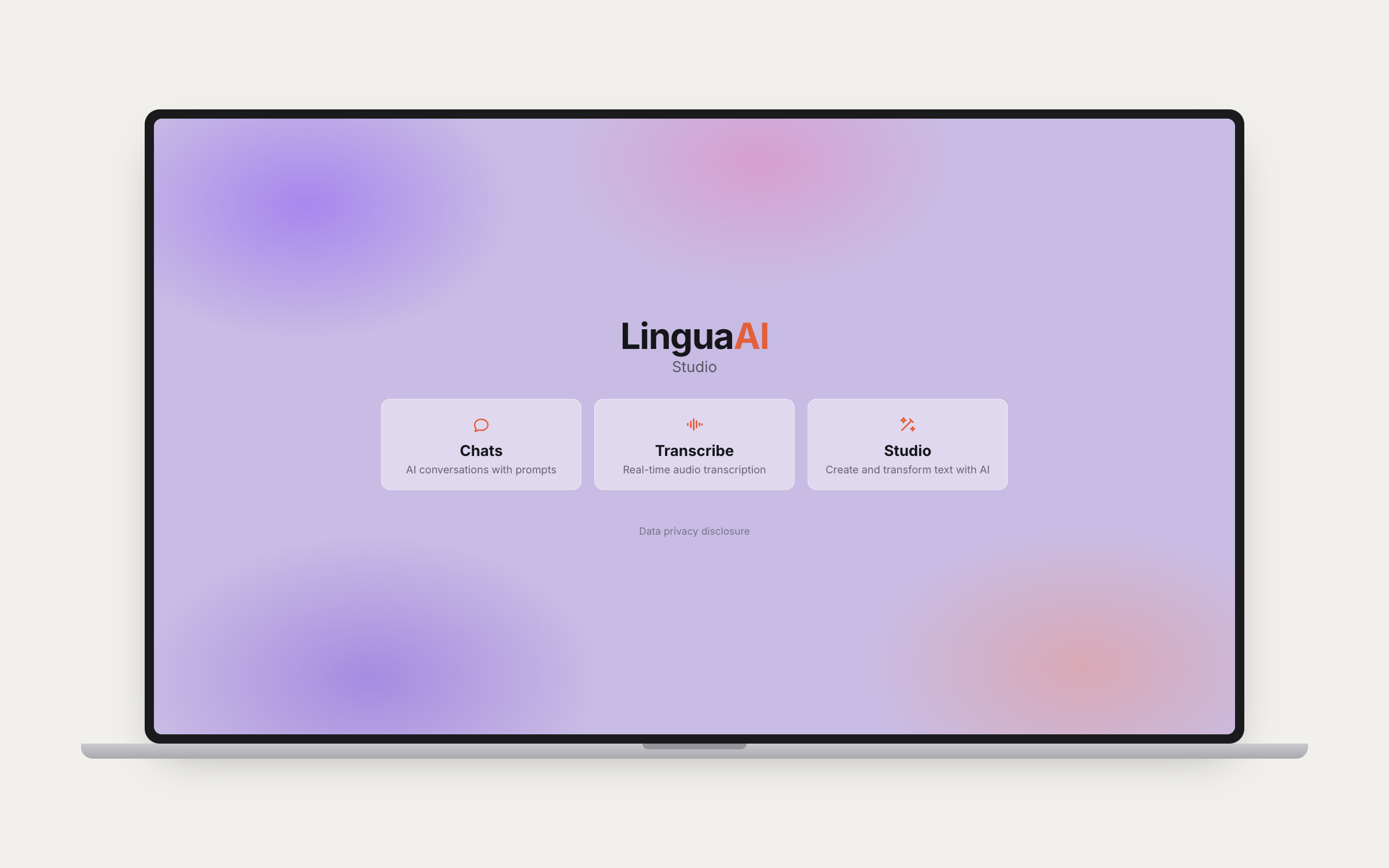
LinguaAI Studio home screen with the Chats, Transcribe and Studio modes
Three modes from one home screen: Chats for conversations, Transcribe for real-time audio, Studio for creating and transforming text.

Bring your own key

Six providers. No account with us.

Studio talks to Claude, GPT, Gemini, Mistral, Perplexity and Ollama with your own keys, plus ElevenLabs, Deepgram and Apple Speech for transcription and Stability AI for images. Nothing routes through our servers, because there are none. Keys live in your device's Keychain and sync via iCloud Keychain.

How privacy works →

Three modes.

Conversations, real-time transcription and a text workbench, sharing one prompt library and one set of keys.

01

Chats.

A full conversation interface with streaming responses across Claude, OpenAI, Mistral, Perplexity, Gemini and Ollama. Attach images, PDFs and documents. Text-to-speech through ElevenLabs, with 11+ voices and customizable settings, or Apple's native TTS, and auto-read mode for hands-free replies; speech-to-text with live transcription and auto-listen for hands-free input. Web search and Claude's extended reasoning are per-conversation toggles. Stability AI image generation across five tiers from Core to Ultra. Personal styles and memory contexts shape the responses, a prompt selector overlay injects anything from the library mid-conversation, code blocks extract and copy cleanly, and any conversation exports as Markdown.

02 — Transcribe

Say it once, read it clean.

Real-time transcription through ElevenLabs Scribe v2, Apple Speech Recognition or Deepgram, in 15+ languages including EN, NL, DE, FR, ES, IT, PT, JA, ZH, KO, AR, RU, PL, TR, SV and DA. AI cleanup via Claude or Mistral fixes grammar and punctuation, and the result sits beside the raw transcript so you can see exactly what changed before you trust it. Full history with save and export, and transcriptions sync to Apple Watch.
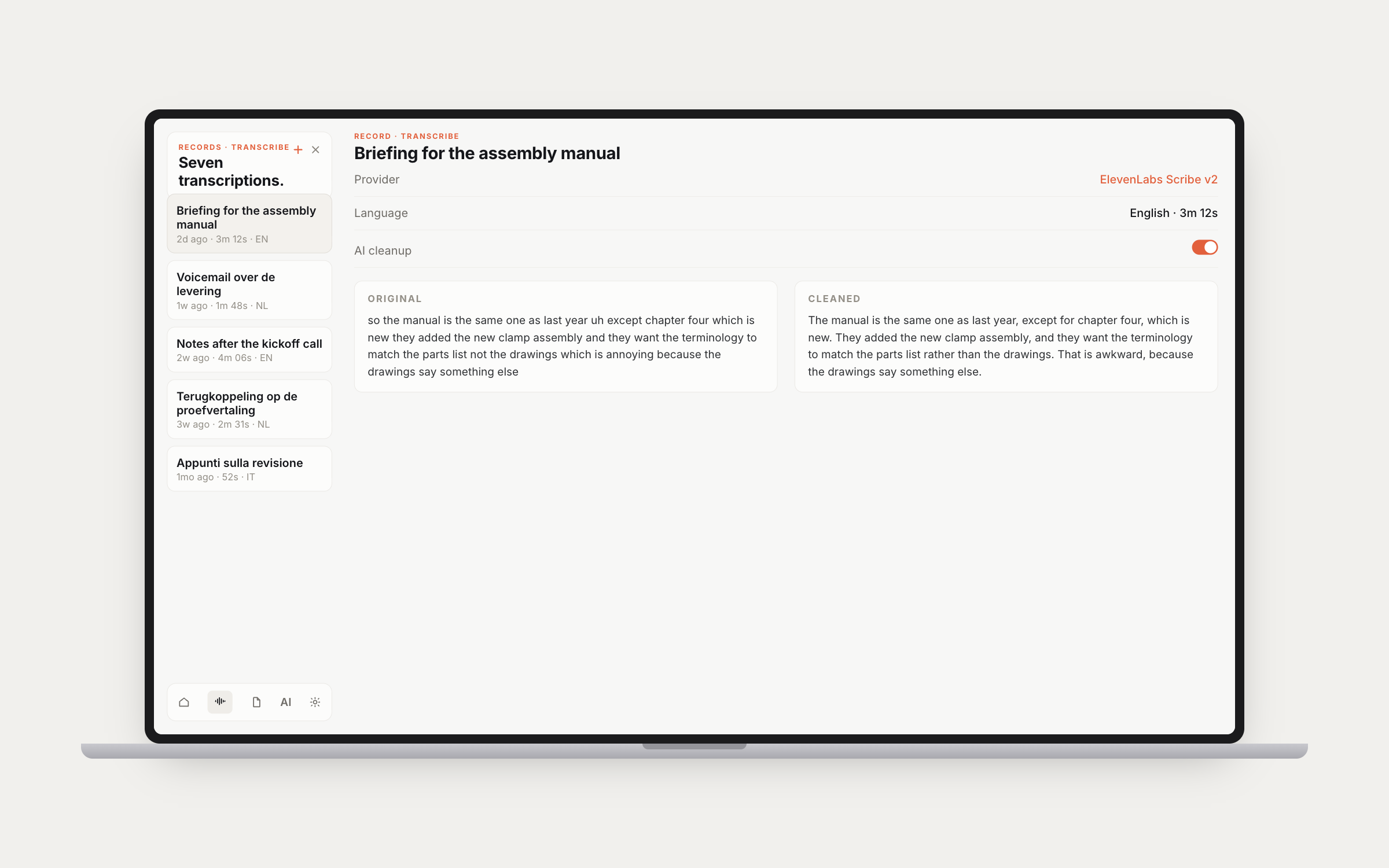
Studio Transcribe showing the original transcript beside the AI-cleaned version

03 — Studio

Presets that remember everything.

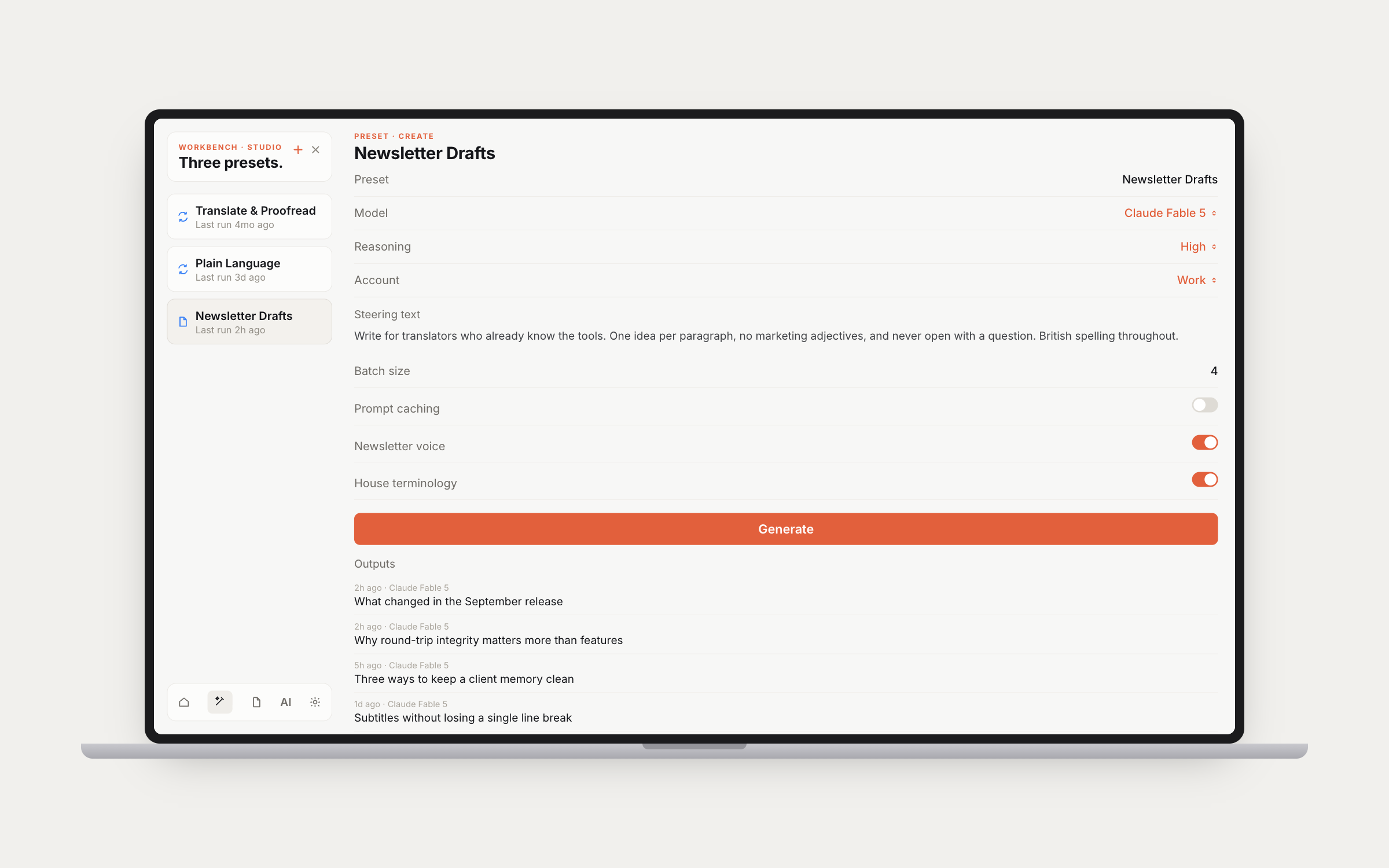
A workbench for creating and transforming text. Named presets hold their own mode (Create or Transform), model, prompts, temperature and, on the models that support it, a reasoning effort setting. Compose with multiple prompts you can enable, disable, reorder and weight. Batch generation runs with live progress. Outputs get favorites, bulk selection, export to Files and auto-export to a folder you choose, and previous output is fed back as context so a batch does not repeat itself.

A Studio preset with its model, reasoning, steering text and generated outputs

Around the modes.

One prompt library, Shortcuts for every action, and the accounts and sync underneath.

04 — Prompts

One library, every app.

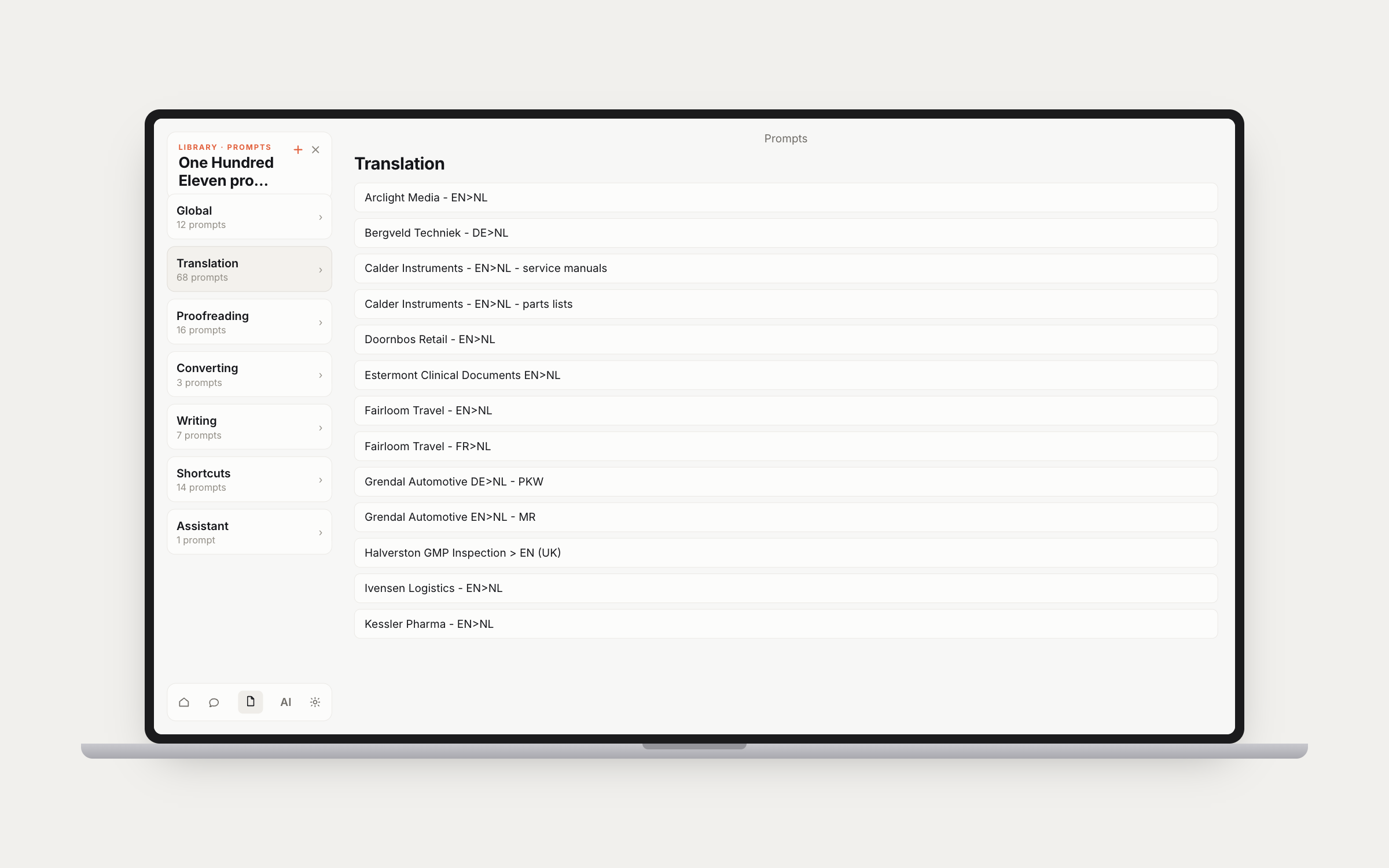
A categorized prompt library with full create, edit and delete, drag to reorder both categories and prompts, and import or export as Markdown. It syncs through CloudKit with the Mac app, so a prompt written at the desk is already on the phone by the time you pick it up.

The Studio prompt library with categories and client-specific translation prompts

05 — Shortcuts & App Intents

Siri, widgets, automations.

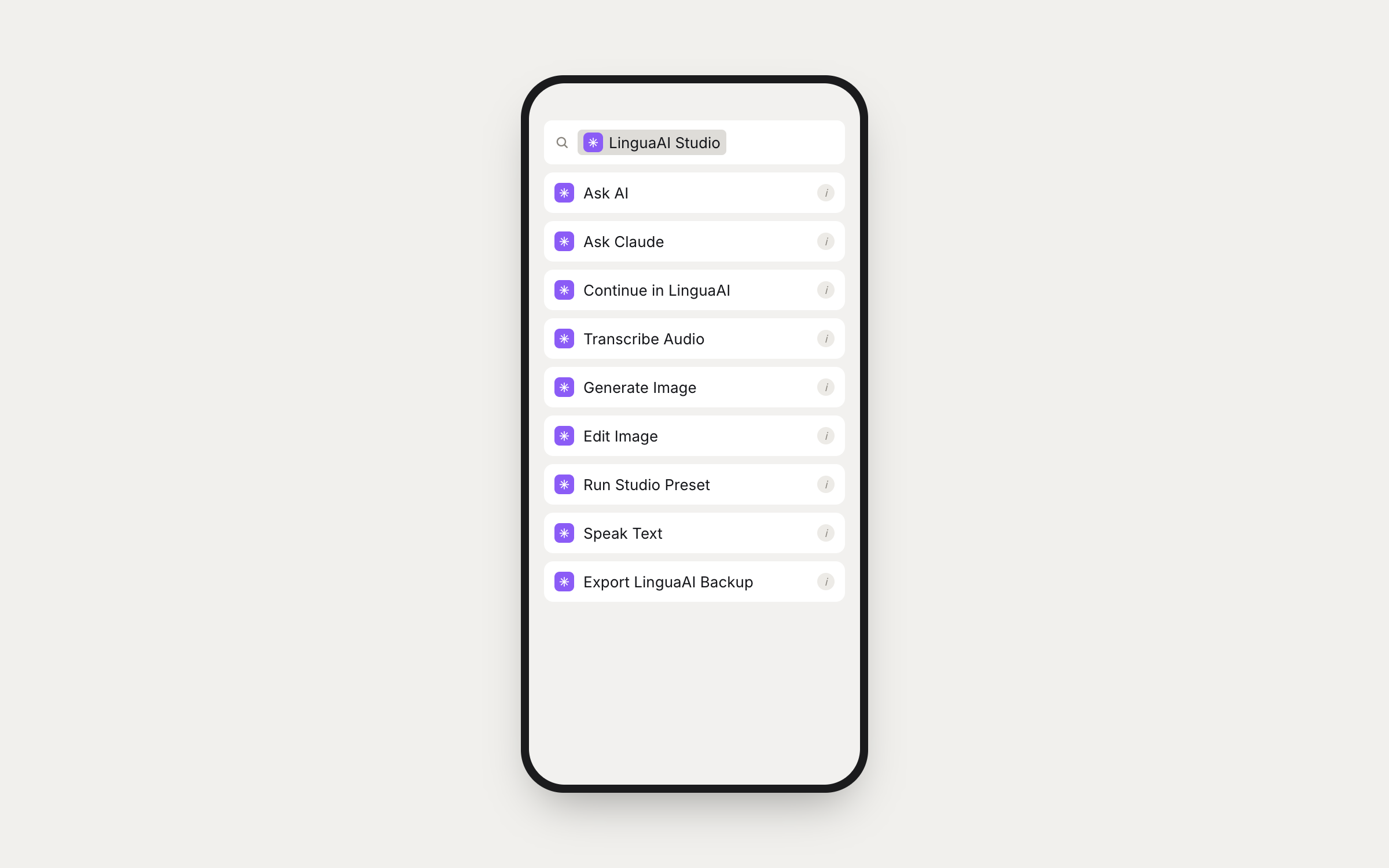
App Intents for Apple Shortcuts: Ask AI, Ask Claude, Continue in LinguaAI, Transcribe Audio, Generate Image, Edit Image, Run Studio Preset, Speak Text and Export LinguaAI Backup. Chain Studio into a larger automation, trigger it by voice through Siri, or put it on the home screen as a widget.

LinguaAI Studio actions listed in the Apple Shortcuts app
06

Accounts and keys.

Multiple accounts per provider, so Work and Personal keys stay separate and each conversation picks one. Key management with validation testing, and usage analytics through the Anthropic Admin API. Personal styles to create, edit and apply per conversation. Claude's memory system, both conversation-derived and manual. iCloud sync diagnostics with a force-sync button, and a dark, light or automatic theme.

07

Watch, CarPlay, widgets.

An Apple Watch companion that syncs both chats and transcriptions. CarPlay for hands-free voice AI in the car. Siri Shortcuts and home screen widgets. Location and weather context injection for the prompts that benefit from knowing where you are. iPad gets a split-view layout; iPhone gets a sidebar overlay.

Take it with you.

Chat, transcribe and transform across iPhone, iPad, Mac, Apple Watch and CarPlay, on your own API keys.