The reading companion

Read the translation like a book. LinguaReview.

A pretranslation is far easier to judge when you read it the way it is meant to be read — as continuous prose, away from the desk. LinguaReview opens the same bilingual files LinguaTrans works with, lays the translation out as a flowing book, and lets you flag anything that reads wrong. It never writes the file.

iPhone, iPad and Mac · reads what LinguaTrans writes
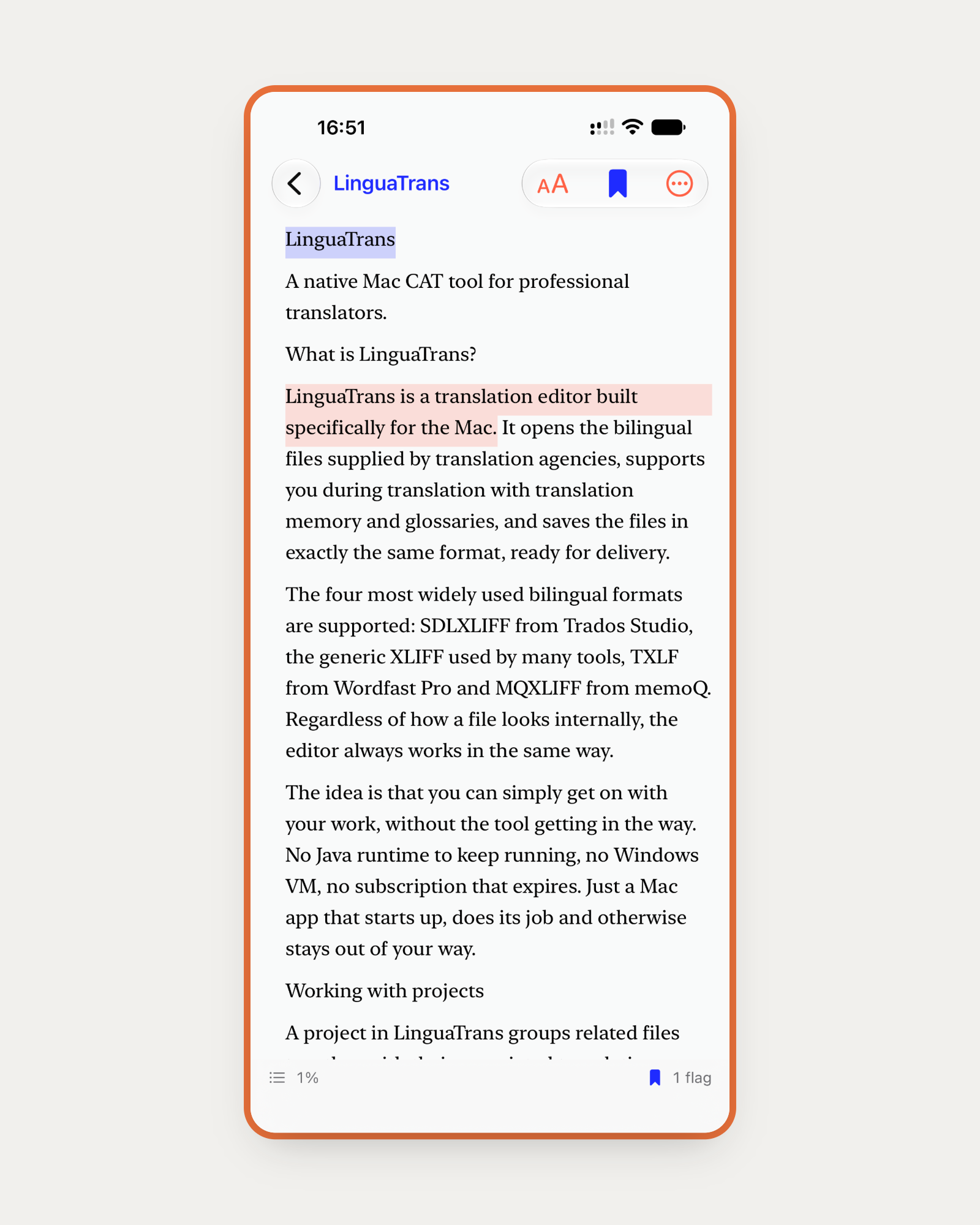
A translation in LinguaReview laid out as continuous serif prose with two flagged sentences highlighted
The target as a page, not a grid. Flagged sentences stay highlighted in the flow, the ribbon holds your spot, and the footer keeps a quiet progress percentage and a running flag count.

Read-only by design

It never writes the file.

LinguaReview reads your bilingual files and produces exactly one thing: a small sidecar of flags and comments. It cannot touch the translation itself, so there is no version of a reading session that ends with a damaged file. The fixing happens back on the Mac in LinguaTrans, where the tags and the structure are already understood.

About LinguaTrans →

The read.

One continuous text instead of a grid of segments, because some things only read wrong at paragraph length.

01

Continuous prose.

The target reads as a page, not a column of boxes. The whole file lays out as one continuous text the way a reading app does it, so scrolling and jumping stay smooth even in a file of several thousand paragraphs.

02

Set for comfort.

Serif or sans, your choice, with an adjustable text size. A quiet progress percentage so you always know how far into a long file you are.

03

Your place, kept.

It remembers where you left off in every file, anchored to the segment rather than to a scroll position, so it survives a change of typeface, text size, rotation or device.

04 — Source on demand

Open the paragraph up.

Bring the source up in the flow when you want to check a line against the original, one segment per row. Or tap a paragraph and it opens segment by segment, each one numbered, with the source above and the target under it — the exact unit LinguaTrans will take you to. Flag the sentence with a switch, type the note underneath, and close it again.
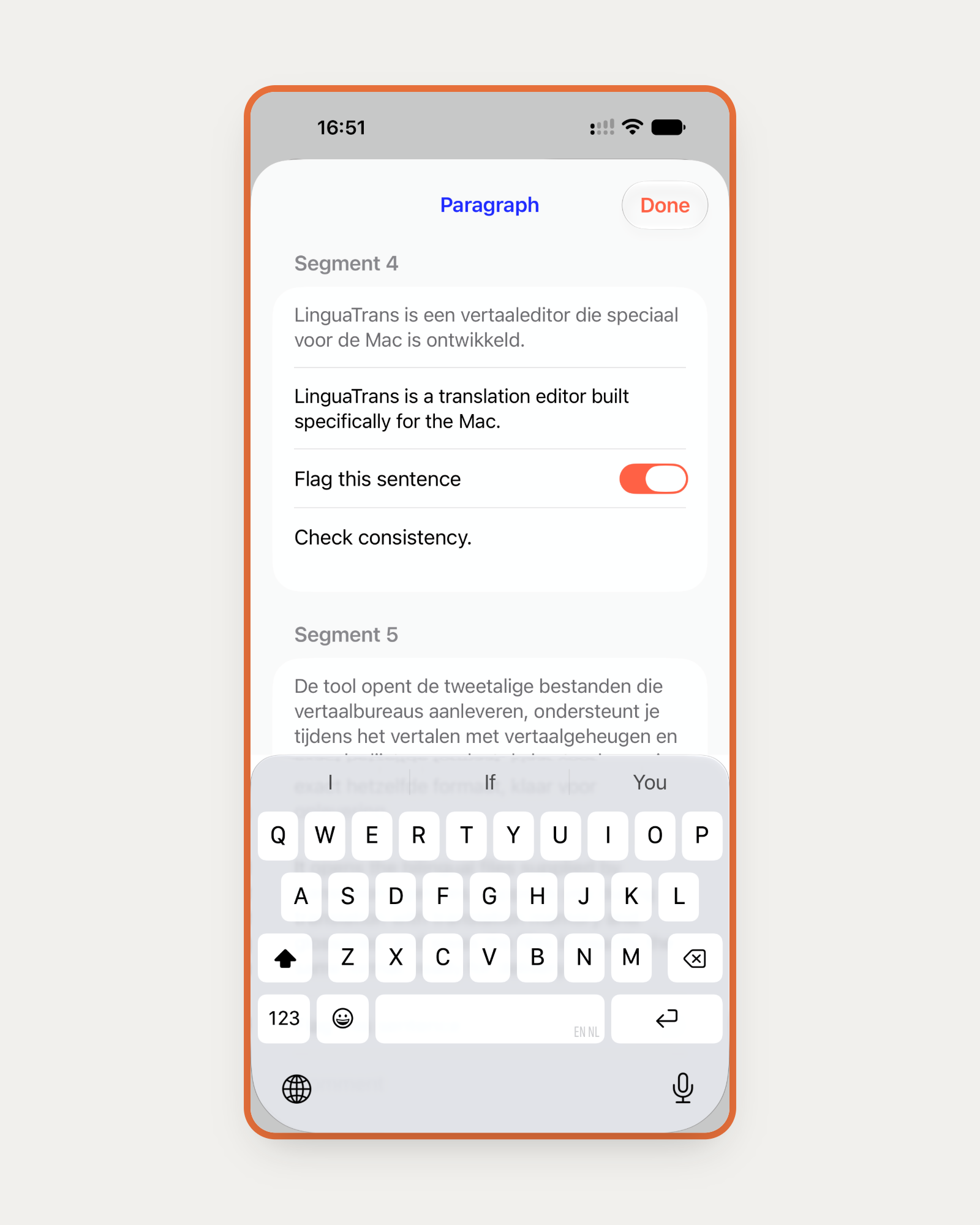
The paragraph inspector in LinguaReview showing numbered segments with source above target, a flag switch and a comment

Flags that land where you left them.

Mark a sentence on the sofa and the exact segment is waiting for you at the desk.

05

Flagging and notes.

Tap a paragraph to flag a sentence and leave a comment. Flags are precise to the exact segment, so what you mark away from the desk is exactly what lights up in LinguaTrans — not the paragraph it happened to sit in.

06

Margin marks.

A discreet mark in the margin shows which paragraphs carry a flag or a note, so the shape of your reading pass stays visible without breaking the read.

07

The ribbon and the Marks list.

Pin your spot with the ribbon and reopening the file takes you back to the pin rather than the last thing you scrolled past. The Marks list, from the footer, gathers your bookmark and every flag in one place so you can jump straight to any of them.

08 — The library

A shelf of what you are reading.

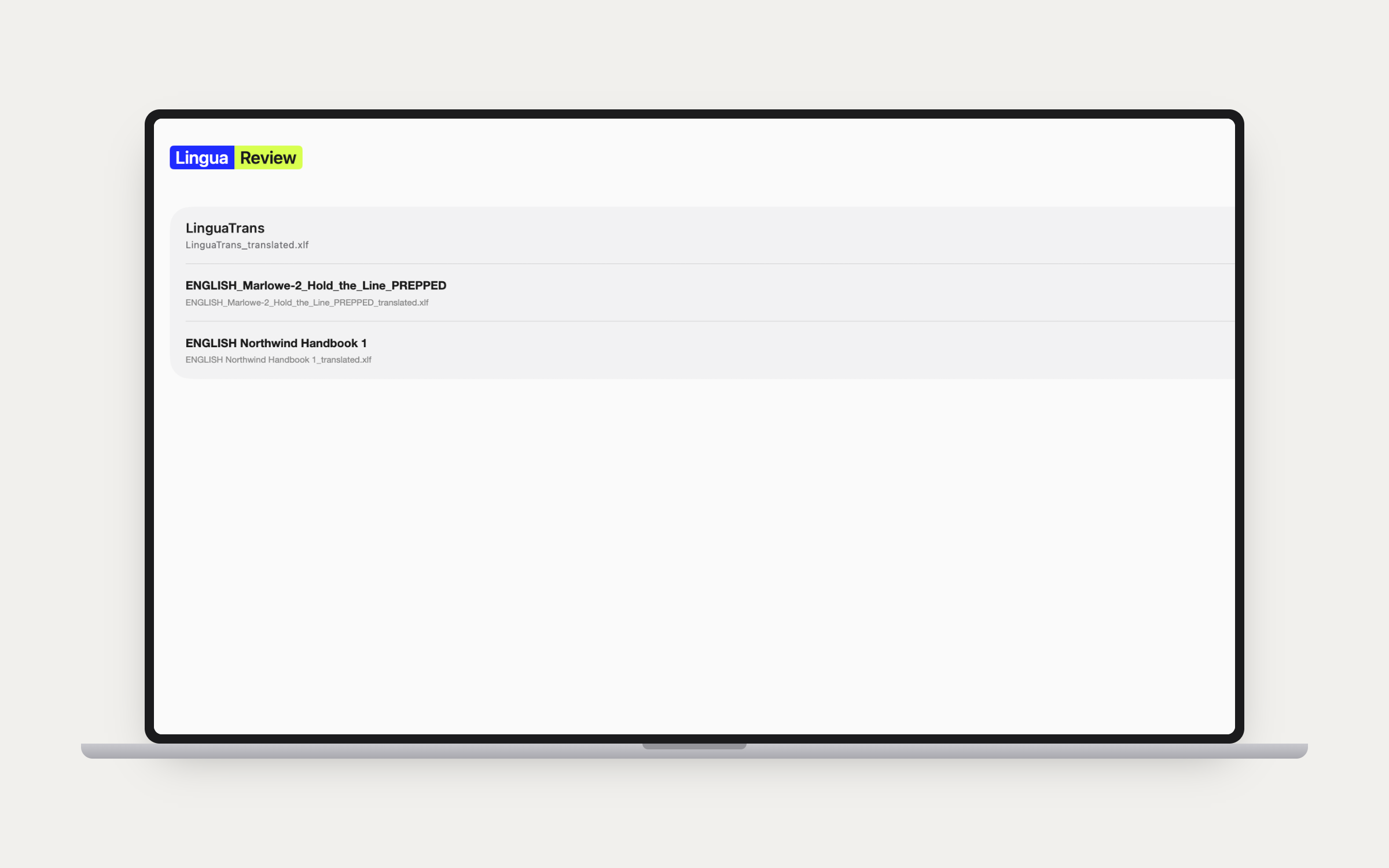
Every review you have open, under a name you give it, with the bilingual file it came from underneath. Opening one goes straight back into the text with no re-picking and no re-downloading. Source files are read from iCloud Drive and pulled down on demand, so the same shelf is there on the Mac, the iPad and the phone.

The LinguaReview library listing open reviews with the bilingual file behind each one

The handoff

One small file goes back.

Export the flags and comments as a sidecar. Drop it into the project folder and LinguaTrans finds it by itself when the file is opened, surfacing every flagged segment with its note as a Review tab and a Review filter — click a number and land on it. Re-import after another reading pass and what you have already dealt with stays dealt with; only the new and changed flags come back.

FROMLinguaReview
VIAA sidecar.
TOLinguaTrans

Privacy

Nothing leaves the device.

01

Your files, your flags and your notes stay on the device.

02

Nothing is collected, transmitted or shared.

03

The bilingual file itself is never written to.

An in-app About panel carries the version and one-click links to the privacy policy and terms.

Take the read off the desk.

Read the pretranslation the way it is meant to be read, flag what does not work, and let LinguaTrans handle the fixing.